Short answer: finqtAI is the AI market analyst built into finqt. You ask in plain language ("analyze BTC", "is NVDA expensive versus peers?", "explain funding rates") or attach a chart screenshot, and it answers with live prices, key levels, scenarios and a clear takeaway instead of a wall of text. There are three ways to ask: a normal question (1 credit), Deep Research for a multi-step, source-cited report (5 credits), and Consensus, where a panel of specialists analyses the asset in parallel and reconciles their views into one report (10 credits). finqtAI is market research, not financial advice.
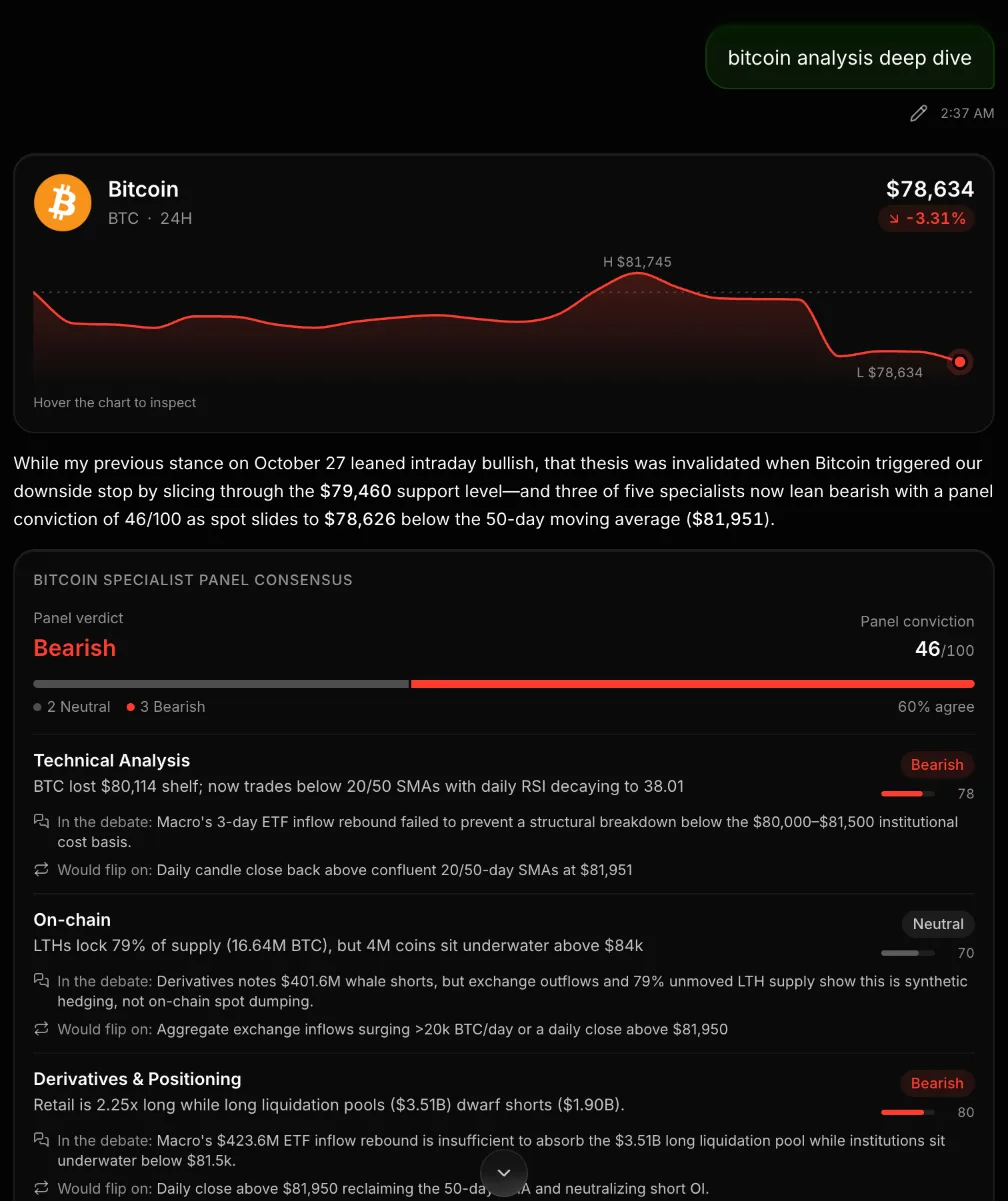 A finqtAI Consensus answer on Bitcoin: live price card, panel verdict and conviction, and each specialist's view with what would flip it
What you can ask
finqtAI works across the same markets as the rest of finqt: crypto, stocks, ETFs, forex and commodities. Good questions are specific about the asset and the decision you are trying to make:
- "Analyze BTC on the daily. Where are the key levels?"
- "Compare NVDA and AMD on valuation and earnings trend."
- "Why did oil drop today, and does it matter for energy stocks?"
- "Any opportunities today?" or "Scan my list" for a quick sweep.
You can also attach a chart screenshot (PNG, JPEG, WEBP or HEIC). finqtAI reads the indicators and patterns on the image directly, which is useful when you are looking at a chart outside finqt. Image analysis costs 2 credits.
Three modes, and when to use each
| Mode | Cost | Best for |
|---|---|---|
| Standard | 1 credit | Quick questions, explanations, a fast read on one asset |
| Deep Research | 5 credits | A multi-step, source-cited report on a thesis or a company |
| Consensus | 10 credits | High-stakes calls where you want several specialist views reconciled |
Consensus runs specialists in parallel (technical, fundamentals, on-chain, derivatives and positioning, macro and news, sentiment, risk, plus an analyst for the asset itself). Each one gives a stance, its conviction, how it disagreed with the others in the debate, and what would make it change its mind. The panel then publishes a single verdict with an overall conviction score.
What an answer looks like
finqtAI answers are structured so you can scan them in seconds:
- A live price card for the asset with the recent range.
- Tables and figures where they help: key levels, expected range, valuation versus peers, positioning, earnings versus estimates.
- Scenario cards (bull, base, bear), each with a trigger and a target.
- A takeaway with stance, confidence and time horizon, plus a short list of what to watch.
- Follow-up suggestions, so the next good question is one click away.
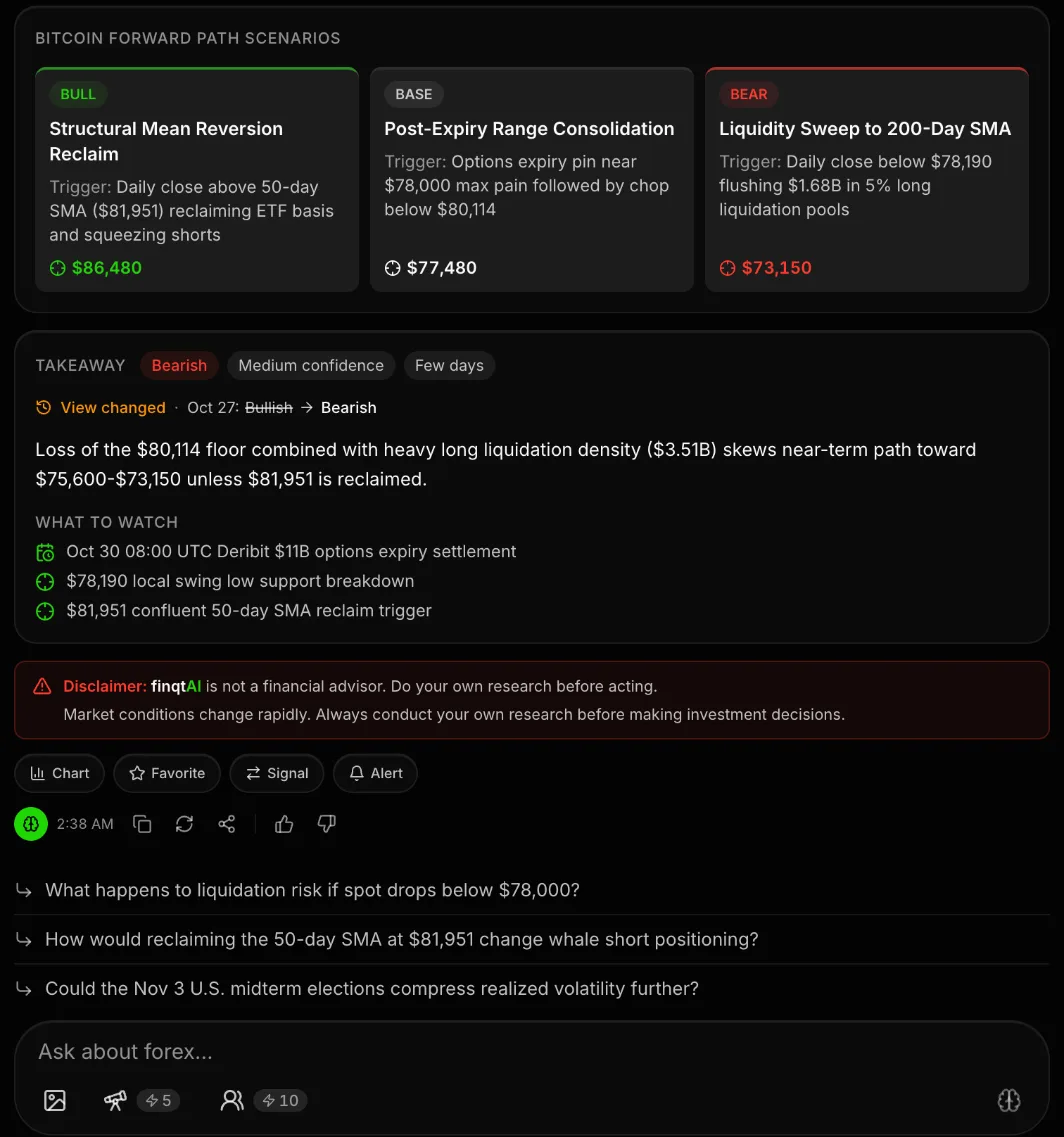 finqtAI scenario cards and takeaway: bull, base and bear paths with triggers and targets, a stance with confidence and horizon, and what to watch
When finqtAI has covered an asset before, it remembers its earlier view. If the new answer disagrees, it says so openly ("View changed: Bullish → Bearish") instead of quietly contradicting itself.
From any answer you can open the chart, add the asset to favourites, or set an alert at a level it mentioned.
Make it answer the way you like
In settings you can tell finqtAI how to address you, how long answers should start, which language to use, your experience level (so it adjusts terminology), and its tone (balanced, confident, direct or warm). Personal memory lets it remember preferences across conversations, and you can switch it off at any time.
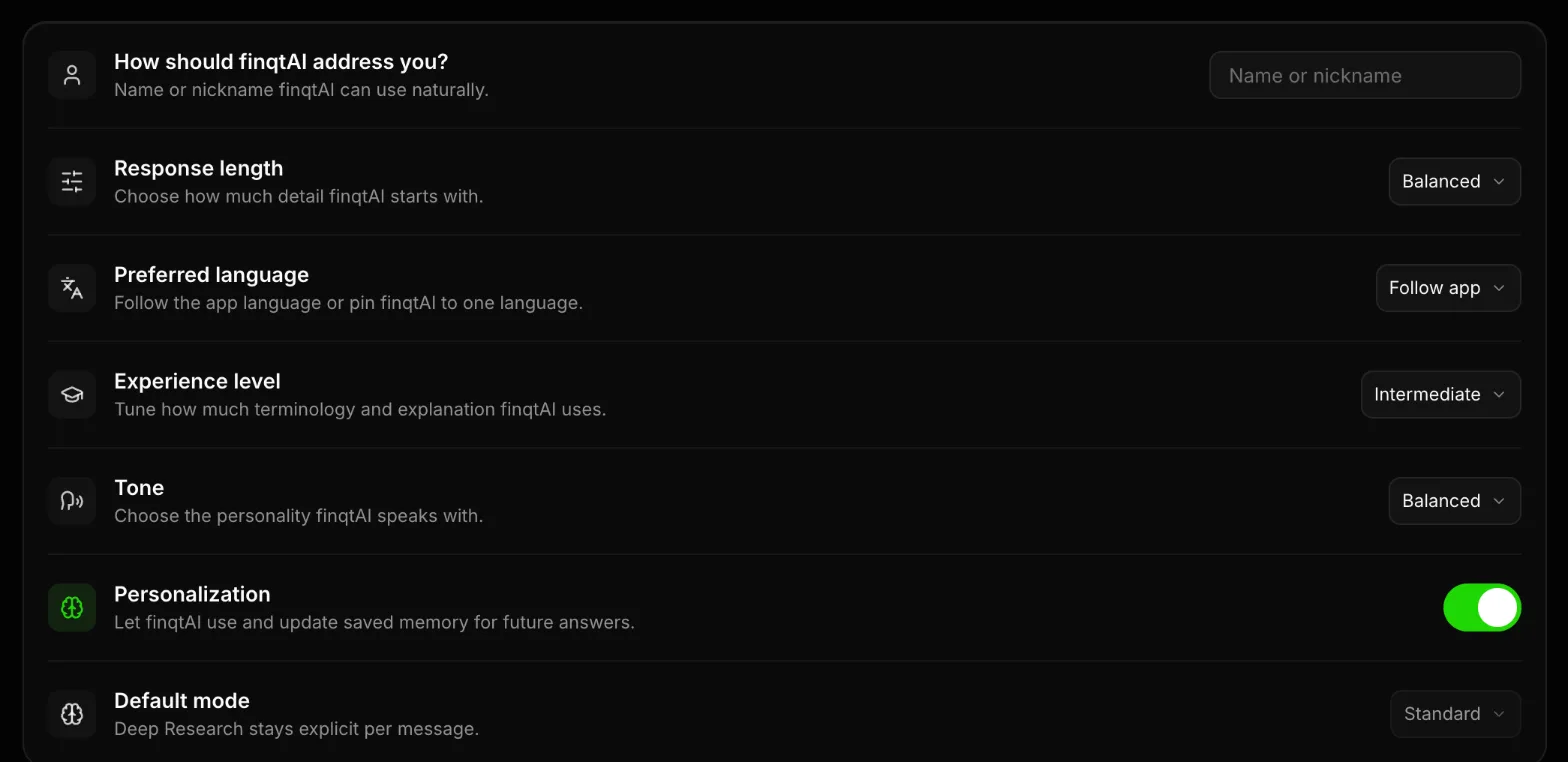 finqtAI settings: name, response length, preferred language, experience level, tone, personalization and default mode
finqtAI everywhere in the app
You do not have to open the chat to use it. finqtAI is available:
- On every symbol page ("Ask finqtAI about BTC").
- Inside the liquidity chart, docked next to the heatmap.
- As a widget in the web terminal, and on chart and market widgets.
- In the Pine Script editor, where it writes, explains and fixes indicators (see running Pine Script in finqt).
Credits and plans
finqtAI runs on credits. Lite includes 30 per month, PRO 100 and PRO+ 300; top-up packs of 25, 75 or 200 credits are available. Deep Research needs a paid plan and Consensus needs PRO or PRO+. Full details are on the pricing page.
Frequently asked questions
What is finqtAI?
finqtAI is the AI market analyst inside finqt. It answers questions about crypto, stocks, ETFs, forex and commodities using live market data, and returns structured answers with key levels, scenarios and a takeaway.
Can finqtAI read a chart screenshot?
Yes. Attach a PNG, JPEG, WEBP or HEIC image and finqtAI reads the indicators and patterns on it. Image analysis costs 2 credits.
What is the difference between Deep Research and Consensus?
Deep Research builds one multi-step, source-cited report (5 credits). Consensus asks a panel of specialists to analyse the asset in parallel and reconciles their views into a single verdict with a conviction score (10 credits).
Is finqtAI free?
The finqt app is free, and finqtAI runs on credits. Paid plans include monthly credits, and anyone can buy top-up packs. See the pricing page for current plans.
Is finqtAI financial advice?
No. finqtAI is a research tool that can be wrong. Use it to understand the market faster, and make your own decisions.