Short answer: the finqt terminal is a browser workspace where you arrange market widgets on one screen: markets lists, charts, order books, trades, funding, liquidations, options, news, intelligence and finqtAI. There are more than 60 modules across markets, trading, analysis, on-chain, finance, world and personal tools. You drag them into a layout, link them so one symbol drives several widgets, and save the layout to come back to. It runs in any browser with no install, and it is the fastest way to see everything about one market at once.
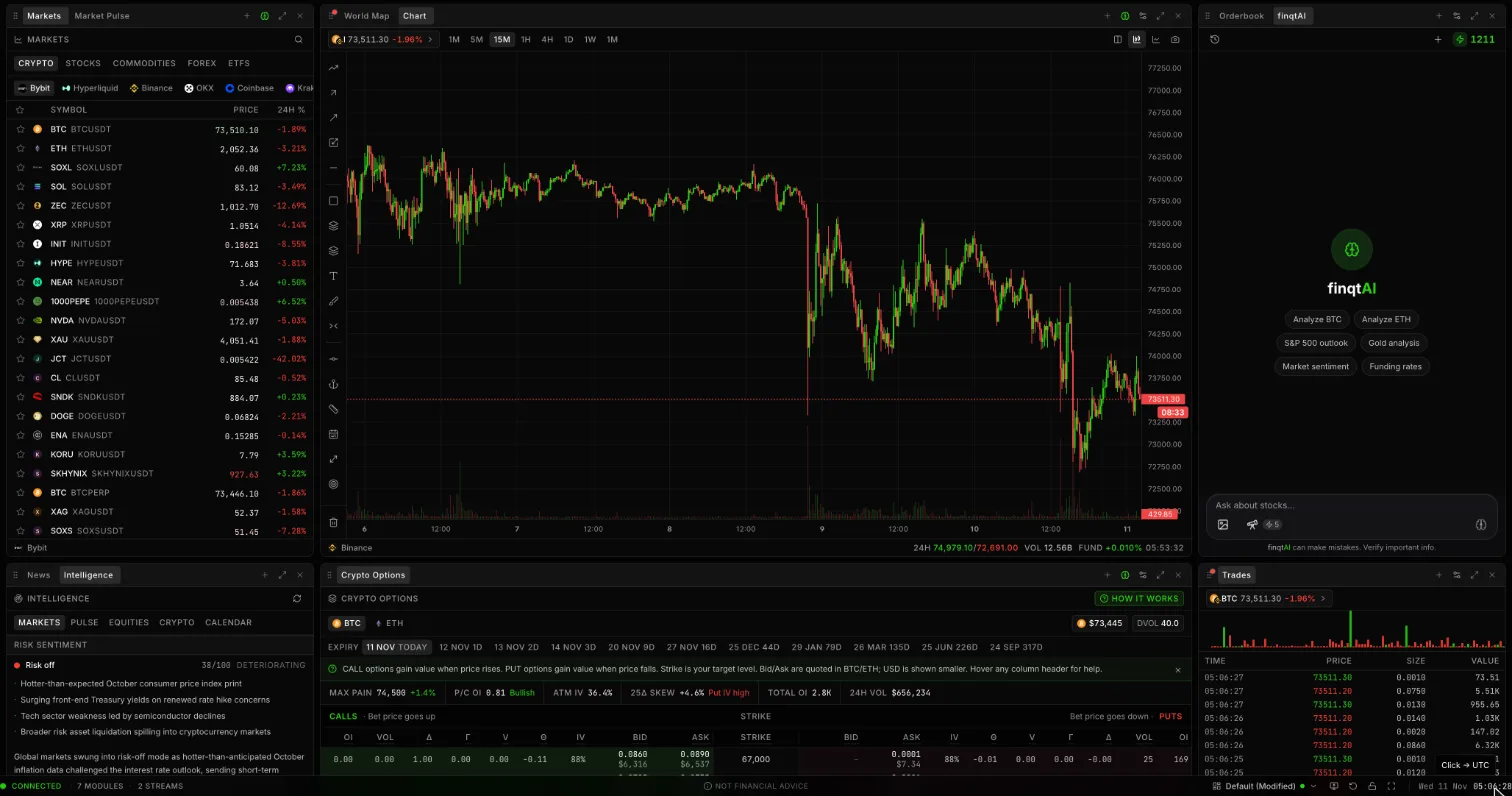 The finqt web terminal: markets list, chart, finqtAI, intelligence, crypto options and the live trades tape in one workspace
Why a terminal instead of tabs
Most traders end up with a dozen browser tabs: an exchange, a charting site, a funding tracker, a news feed, a liquidation map. Switching between them costs attention and hides connections. A terminal puts the pieces next to each other, so you see the trade print, the funding change and the headline at the same moment.
What you can add
Open Add module and search, or browse by category. A few highlights:
- Market: Chart, Orderbook, DOM Ladder, Trades, Aggregated Trades, Liquidations, Markets, Watchlist, Funding.
- Analysis: Liquidity heatmap, Liquidation Heatmap, Order Flow, screeners, Sector Heatmap and Rotation, ETF Flows.
- Derivatives and on-chain: Crypto Options, implied volatility tools, Hyperliquid whale and wallet trackers.
- World and macro: Market Pulse news, Intelligence briefings, World Map, Live TV, economic calendar.
- Personal: Notes, Rules, Trade Journal, Pomodoro timer, and even a few games for slow sessions.
- finqtAI: ask about whatever is on screen without leaving the workspace.
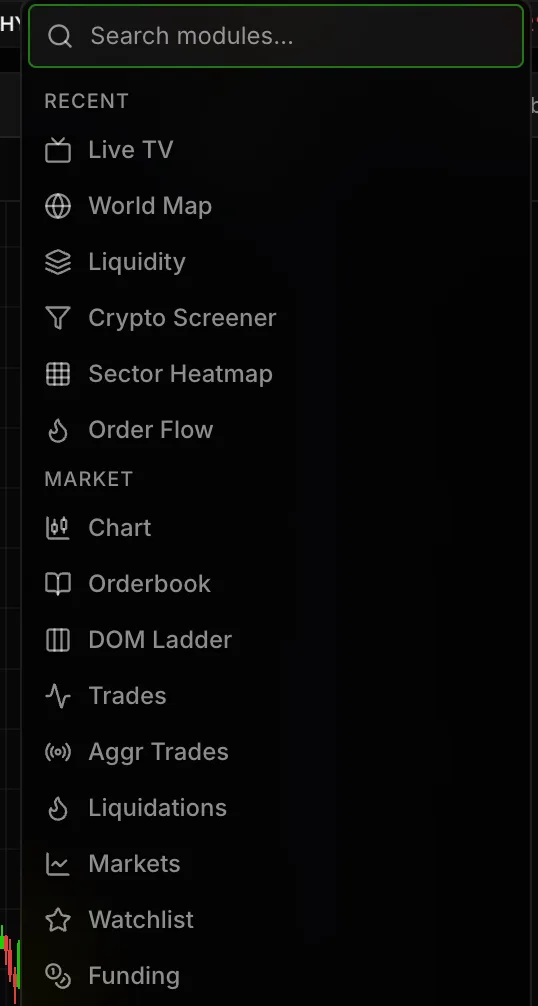 The Add module menu in the finqt terminal: recent modules and the Market category with Chart, Orderbook, DOM Ladder, Trades, Liquidations and Funding
Some advanced modules (order flow, options analytics, whale trackers) are part of paid plans; the pricing page lists what is included where.
Set up a layout in five minutes
- Start from a preset. finqt ships Trading, Finance and World layouts. Pick the closest one.
- Remove what you do not use. Close a widget and an undo toast lets you bring it back; Cmd/Ctrl+Z works for layout changes too.
- Add your core modules. For most crypto traders: Chart, Orderbook, Trades, Funding and finqtAI.
- Link widgets with colour groups. Put the chart, order book and trades in the same colour group and changing the symbol in one changes all three.
- Save it. Save, save as new, duplicate or rename layouts, and export or import them as JSON to share with a friend or move between machines.
For big setups there is a multi-screen workspace with up to four screens, plus a layout lock so nothing moves by accident.
Three layouts worth copying
- Scalper: Chart (1m), DOM Ladder, Trades, Liquidations and Aggregated Trades, all in one link group.
- Swing trader: Chart (4h), Funding, Liquidation Heatmap, Market Pulse and finqtAI.
- Macro watcher: World Map, Intelligence, Sector Heatmap, ETF Flows and a watchlist of indices, gold and oil.
Pair it with the rest of finqt
The terminal shares data and accounts with the finqt iPhone app and the rest of the web app. Your account, watchlist and alerts follow you between devices.
Frequently asked questions
What is the finqt terminal?
It is a browser-based workspace where you arrange market widgets such as charts, order books, trades, funding, liquidations, news and finqtAI on one screen, then save the layout.
How many widgets does the finqt terminal have?
More than 60 modules across markets, trading, analysis, on-chain, finance, world, personal and utility categories.
Can I save and share terminal layouts?
Yes. You can save multiple layouts, duplicate and rename them, and export or import them as JSON. The number of saved layouts depends on your plan.
Do I need to install anything?
No. The terminal runs in any modern browser at app.finqt.com.
Is the terminal free?
You can use the terminal on the free plan with one saved layout. Some advanced modules and more saved layouts are included in paid plans.